Hill Climb Racing 2
Burger Please!
Asphalt 8 - Car Racing Game
TikTok
Woodle Screw Jam: Nuts & Bolts
Temple Run 2
My Talking Tom Friends 2
WildCraft: Animal Sim Online 3D
Toy Blast
Resident Evil Village
Advertisement


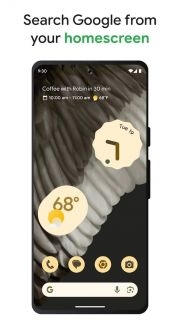
The Google app is the gateway to many Google services, allowing you to search the Internet, use Google's entire suite of apps, and receive customized information based on your preferences. It combines the features of Google Search and Google Assistant to provide an intuitive and personalized mobile browsing experience.
In simple terms, the Google app is a search engine. Type a question in the search box and it will find the most relevant web pages, images, videos, news, and more. But it can do more than just basic search. It can also understand your search, learn from your interactions, and adjust search results to help you save time.
In addition to search, the Google app also integrates Google Assistant, which can be your personal assistant. Say "Hey, Google" and then type in a command or question, and Google Assistant can help you do things, such as setting reminders, sending text messages, checking the weather, and controlling smart home devices.
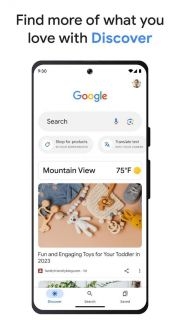
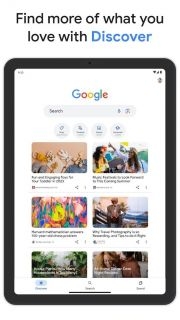
Another highlight of the Google app is the Discover information flow, which shows you the latest news, articles, and updates on topics you care about. Like sports? There are the latest scores and news about your favorite teams. Like cooking? You can see new recipes. The more you use it, the more important content the Google app can provide you.
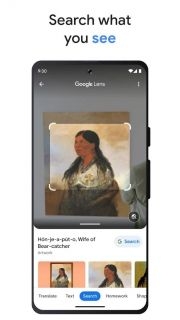
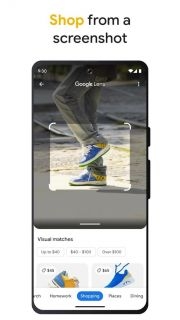
In addition, the Google app also has voice search, image search, Google Lens photo recognition and other functions. With Google Podcasts, you can find and listen to podcasts on a variety of topics right within the app.
When it comes to accessibility, the Google app has features like safe search to help you filter out inappropriate content and adjust text size. There's also an incognito mode for private browsing.
Overall, the Google app is more than just an app. It's a collection of tools, resources, and a personal assistant. It makes your online experience faster, easier, and more fulfilling. From finding answers to enjoying personalized content, the Google app is your go-to for exploring the digital world. Whatever you want to know or do, the Google app can help. So, use the search function boldly and make full use of the Google app to explore the Internet!
Step 1: Login
Open the app and log in with your Google account.
Step 2: Search for information
There is a search bar at the top of the app. Click it to enter your question, then click "Search". Search results include websites, images, videos, etc. You can filter the results by clicking the options at the bottom of the screen.
Step 3: Voice search and Google Assistant
There is a microphone icon next to the search bar. Click it and speak your search term without typing. This will start Google Assistant, and you can also set reminders, send text messages, make calls, etc. Just say "Hey Google" and enter your command or question.
Step 4: Browse information
Open the Google app, and below the search bar is a card-style feed that displays information and articles related to your interests. You can customize the information flow by following different topics. Click the menu in the upper left corner and select "Customize Discovery".
Step 5: Google Lens
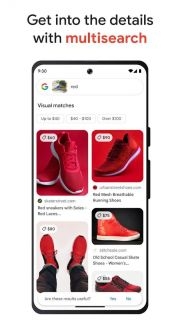
There is a Google Lens icon in the search bar. Click it to use the camera to search for information about objects, landmarks, or text in photos. For example, it can be used to identify plants or scan QR codes.
Step 6: Listen to podcasts
Select "Podcasts" from the menu to access Google Podcasts. Here, you can browse, discover, and listen to podcasts on various topics. You can subscribe to your favorite podcasts, download shows to listen offline, or add them to a playlist.
Step 7: Settings and Privacy
In the Settings menu, you can customize your Google app experience. Modify search settings, manage notifications, and control privacy. You can also turn on Incognito mode for private browsing.
Step 8: Use other Google services
The Google app makes it easy to switch to other Google services, such as Gmail, Google Drive, and Google Maps. Tap the relevant icon at the bottom of the screen to switch.
TikTok
Gmail
Yahoo Mail
Google Docs
ChatGPT
YouTube
Microsoft Outlook
Google Maps
Zombie Tsunami
Honkai Impact 3rd
Mini Metro
Screw Pin Jam Puzzle
Google Maps
Poly Bridge 2
TikTok
Garten of Banban 4
Modern Ops: Gun Shooting Games
Last War:Survival Game
Matchington Mansion
Among Us
Advertisement
Welcome to Gameonyx.com! We have thousands of addicting pc games for you to download, and we add new downloadable games every day! Our games are all from the most popular game developers. Surely the games will keep you entertained. You can download the games to your computer first and you can play them for some time freely. Then you can buy the full version games if you like them! At Gameonyx.com we pride ourselves in serving you the newest and best pc games to download everyday so that you will not be disappointed. All our games have high quality.